|
Thank you for supporting Dovercourt Public School students. Your donation will help the terrific kids at our school by supporting enrichment activities, school events, and more. We use School Cash Online, the Toronto District School Board’s platform for processing online donations. All funds submitted through School Cash Online go directly to our school. Below are some instructions to help you navigate the site. Step 1: Visit Dovercourt's School Cash Online donation page You can find the link here. It looks like this: 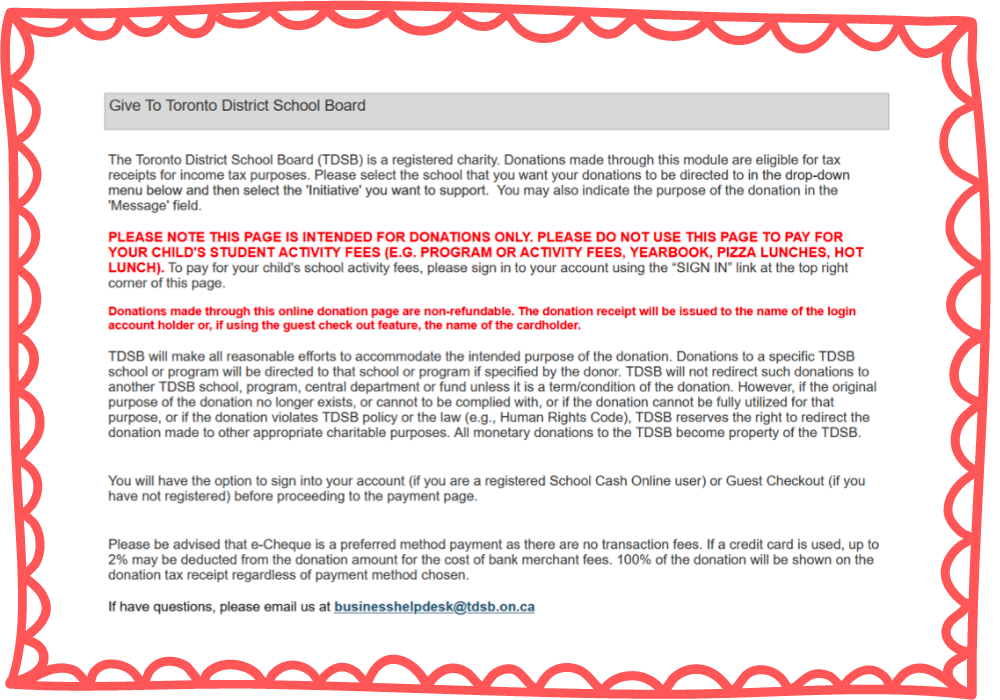 Step 2: Scroll down to the "Gift Information" section It looks like this: 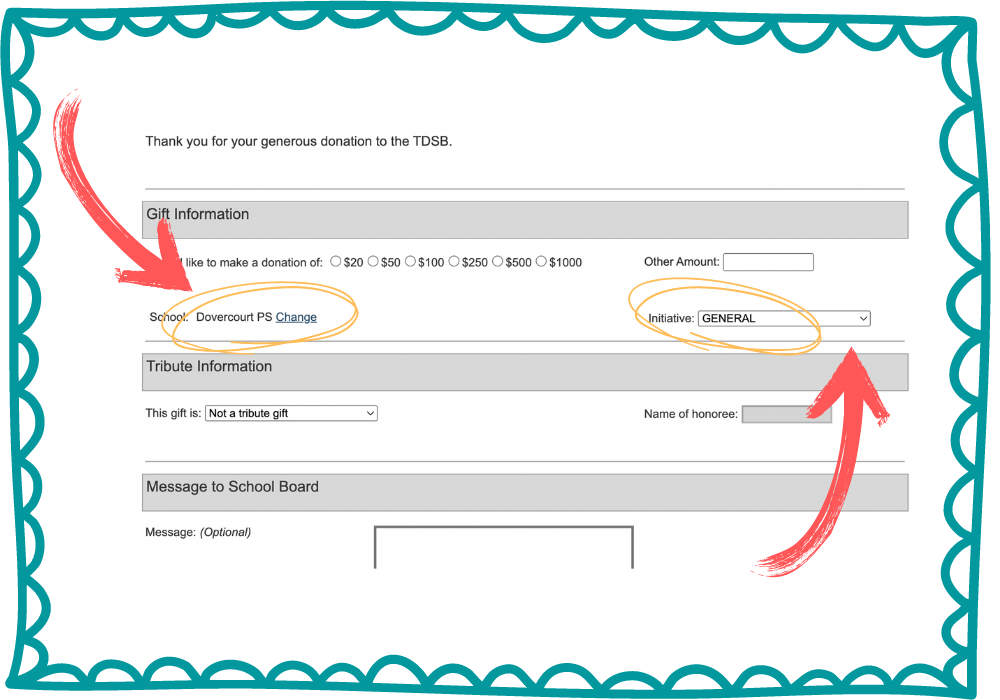 Select or input the amount you'd like to donate. Dovercourt PS is pre-selected as the recipient. Choose the initiative you'd like to support from the drop-down on the right. For instance, select "Dance-a-thon" to donate to our annual Dance-a-Thon fundraiser. Step 3: Select “Not a tribute gift” in the menu beside “This gift is.” There is no need to fill out any tribute information. All of the money goes right to Dovercourt PS when Dovercourt PS has been selected; we do not track individual student fundraising. 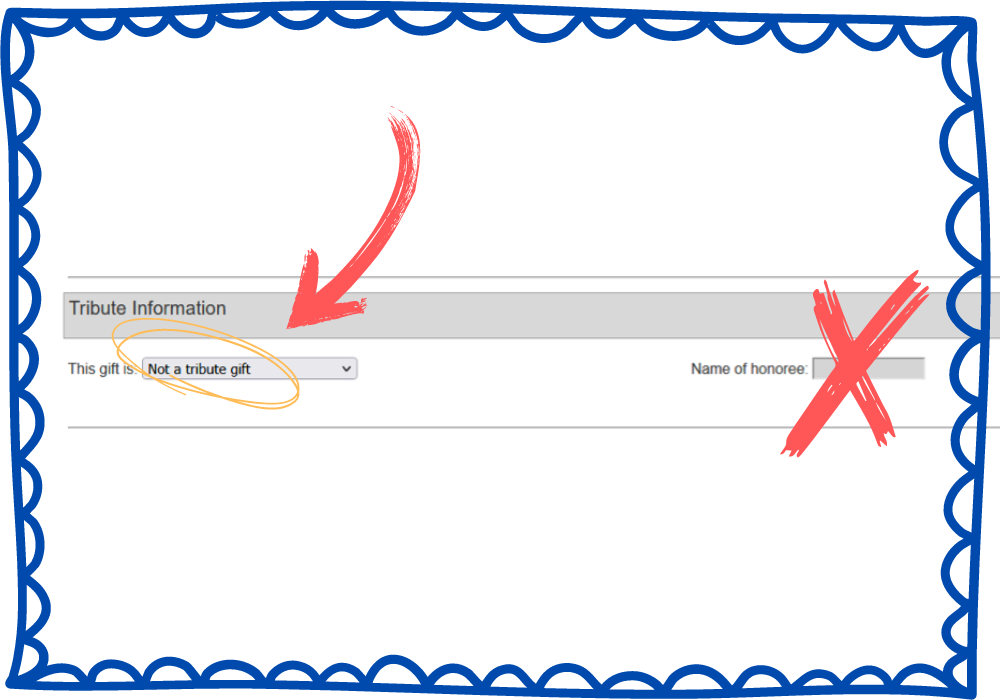 Step 4: At the bottom of the page, click on "Add to Cart" It looks like this: 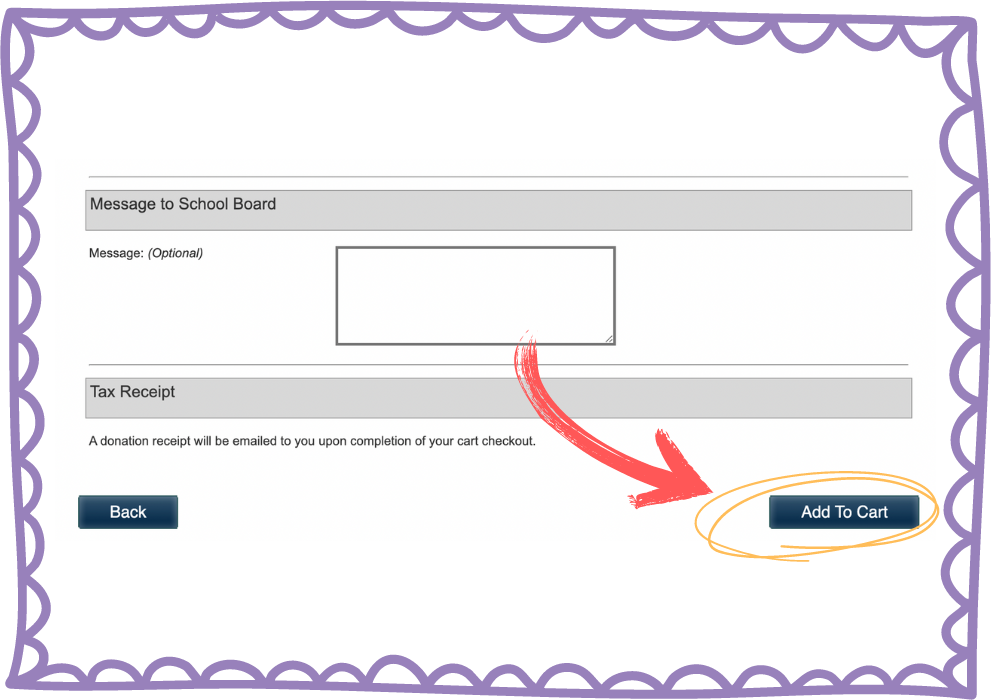 Step 5: You will be redirected to a summary page This shows you that your donation is going to Dovercourt PS. Click “Continue.” The page looks like this: 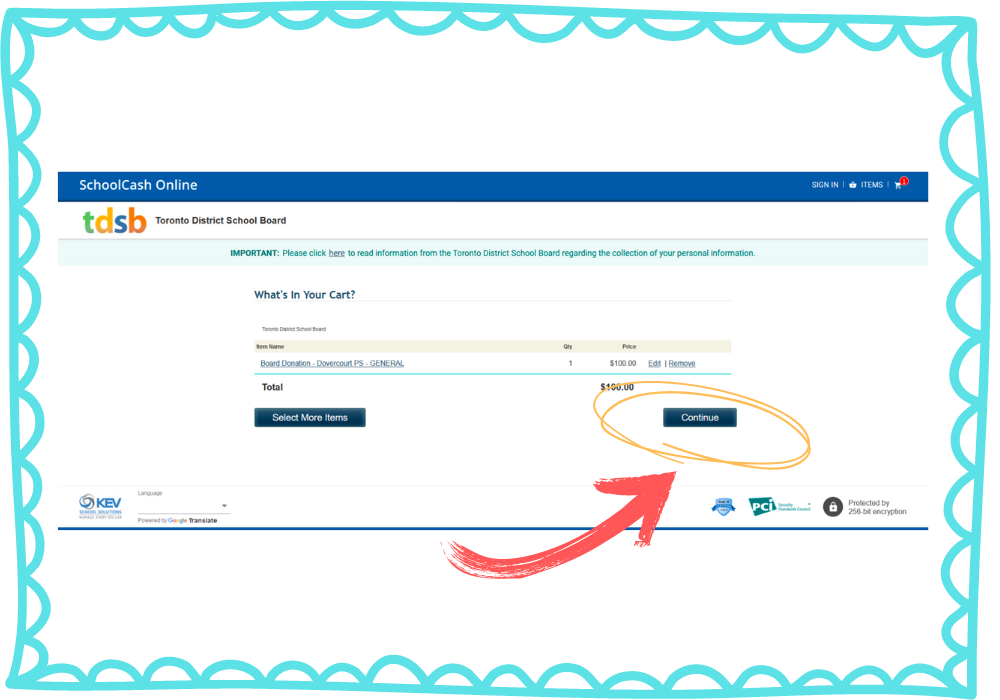 Step 6: Start the checkout process Next the Toronto District School Board will to know if you already have a School Cash Online account with them. If you have one, sign in using your credentials. If you do not have one, navigate to "Guest Checkout" and click "Continue as guest." 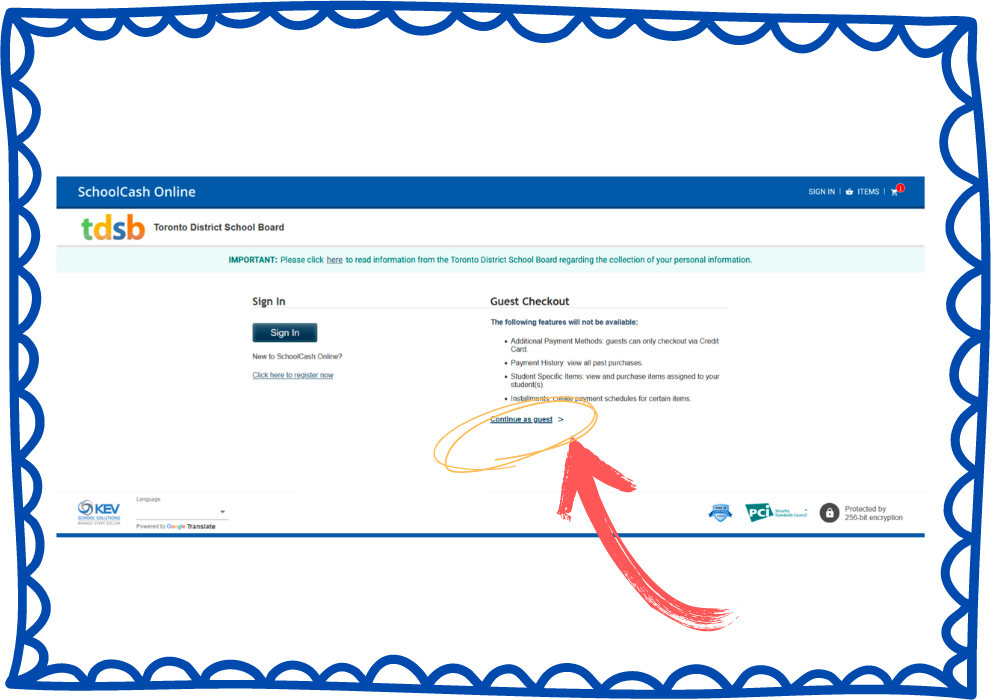 Step 7: Enter your payment information You are now at the payment page! Enter your payment information and then click “Continue.” 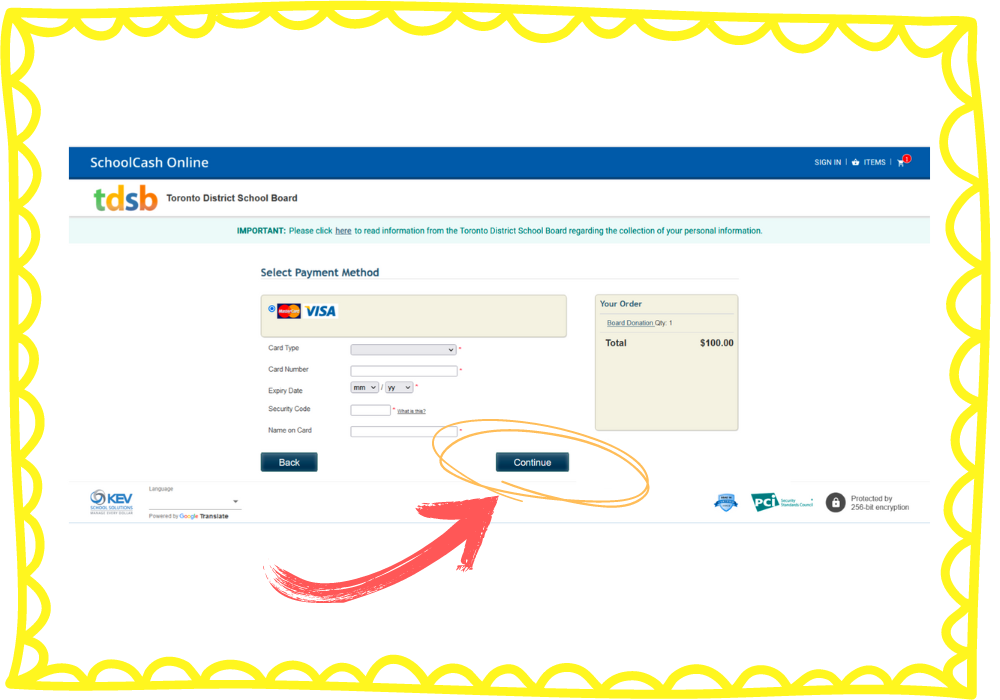 Step 8: Enter your contact information The TDSB requires your contact information in order to process your payment and send you a tax receipt. Enter this, then click "Continue." 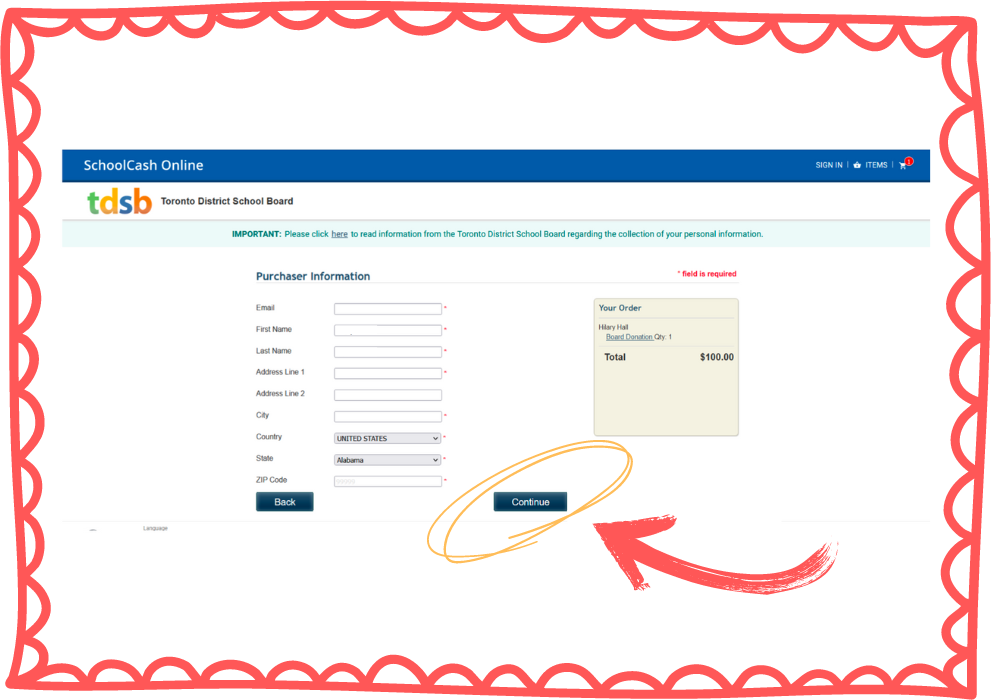 Step 9: Review your order If everything looks as it should be, click "Complete Your Order" to finish. 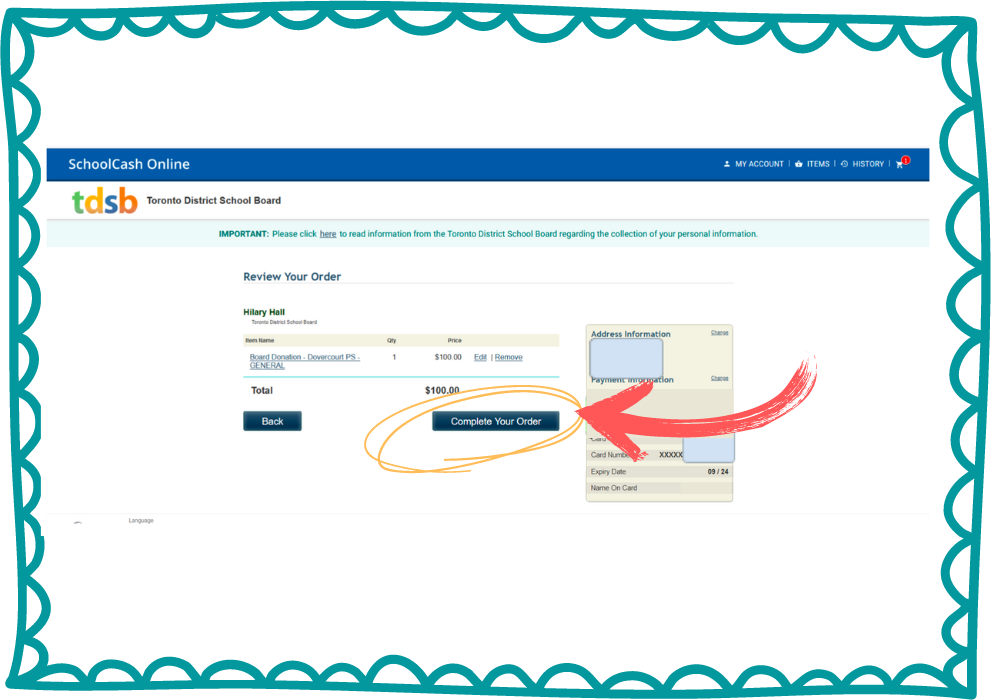 The TDSB will email you a tax receipt directly. You’ll also be given an opportunity to print one out if you prefer. Thank you, again, for supporting the enrichment of Dovercourt PS students this year! Ready to donate? You can start here! Comments are closed.
|
Archives
June 2024
Categories |
 RSS Feed
